Write once.
Build reusable
AI templates.
IziBuddy is an application for building reusable AI templates, on your own or with your team. A prepared prompt, an agent skill or your own type shares the same structure. Its language, POO²L, lets you assemble reusable instructions and adapt them to each task with parameters.
Less duplication. Consistent instructions. A history you can compare. Maintain shared building blocks instead of separate copies. Keep edits in a local draft, publish when ready and compare the versions you share.
Discover POO²L ↗IziBuddy,
in video.
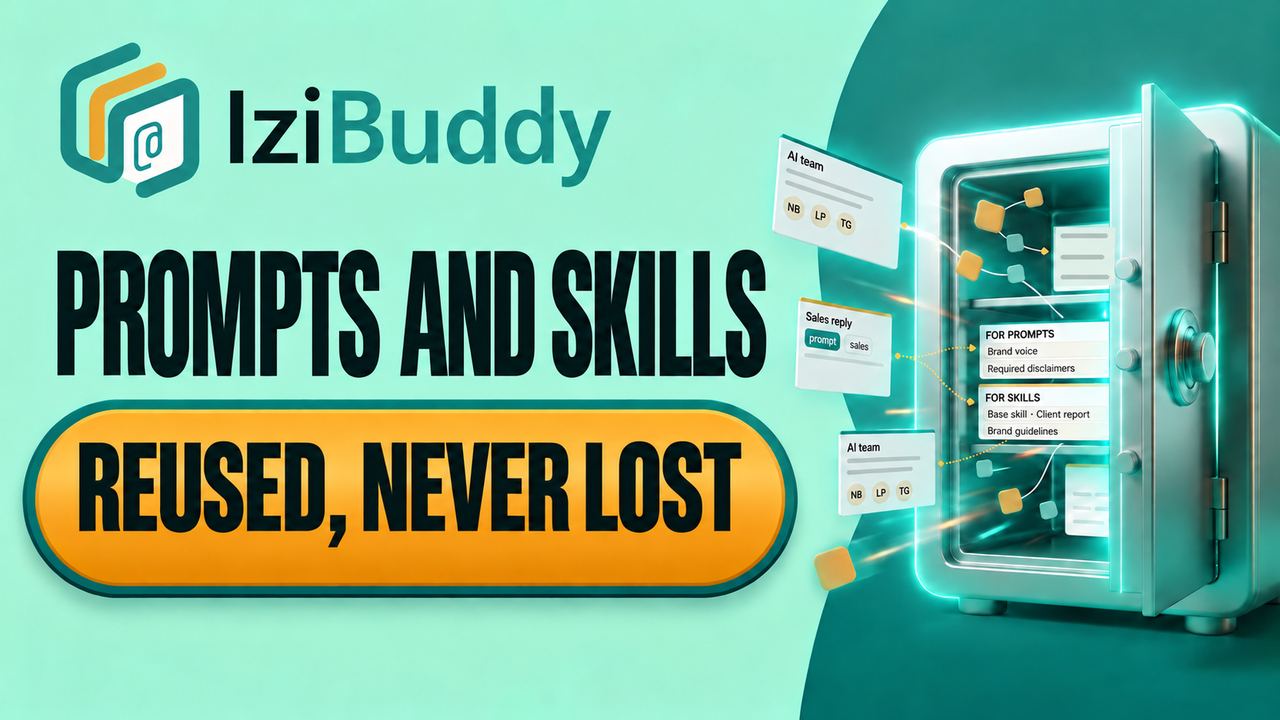
“Turn your prompts and skills into a company asset”: a short presentation of IziBuddy.
One language.
Types that can grow.
An application for your team.
POO²L gives every template a structure you can read, compose and adapt. Its type describes the intended use: prompt, skill or an identifier of your own. IziBuddy brings these templates into one editor, with shared composition, parameters, references and version history.
Explore what POO²L makes possible ↓ The language
 IziBuddyThe editor (IDE)
Reusable know-how, ready for the next task.
Your instructions.
Your moment to publish.
Use a prepared prompt for a repeatable task, or a skill for instructions an agent can reuse. Both are templates in the same editor. Change the type without changing the identity, parameters, references or history. Custom types such as acme.review need no new language keyword.
Save a local draft without changing the published document. Drafts and their attachments stay in this browser, under your account. Find them with flag:draft, preview your local dependencies and back up your work before clearing browser data.
Publish explicitly when ready. A conflict asks you to review the published version; dependencies are never published automatically. An administrator can allow or deny inheritance between different template types. The child keeps its own type; includes never change it.
Other types can export their composed text. Declaring mod does not automatically create a provider-specific executable package.
Generate SKILL.md, or a ZIP with its resources. Choose where to save it. Updating an installed skill requires a new export and manual replacement.
Actual application screen · the shared editor.
A skill inheriting a prepared prompt
@@@template REVIEW_BASE
@@@section evidence
Separate observations from assumptions.

@@@template REVIEW_ASSISTANT inherits REVIEW_BASE
@@@type skill
@@@section method
Check the evidence before suggesting a change.
These are two source documents. With mixed inheritance allowed, the result remains a skill and the engine reports MIXED_DOCUMENT_INHERITANCE. With it denied, rendering stops. Includes never change the consumer’s type.
Download the POO²L 1.0 specification and conformance fixtures. This is the evolving, pre-release 1.0 specification.
Download the updated English manuals (PDF, EPUB and Markdown where available) · Browser engine · Build manifest and checksums
Simple pieces. Reusable instructions.
Choose a building block to see what it does and how to write it.
Give each instruction a place.
Separate the context, task and expected output into named sections.
A section can also contain named items: steps to follow, constraints to respect, or points to check. POO²L numbers these items when assembling the prompt.
@@@template summary
@@@section task
Summarize the meeting.
@@@section output
List decisions and next steps.@@@template meeting_review
@@@section steps
@@@section steps.read
Read the meeting notes.
@@@section steps.identify
Identify decisions and owners.
@@@section steps.summarize
Summarize the next actions.## Steps
### 1. Read
Read the meeting notes.
### 2. Identify
Identify decisions and owners.
### 3. Summarize
Summarize the next actions.Adapt without rewriting.
Choose a value when preparing the prompt. Here, the language can be English or French; English is the default.
@@@template summary
@@@param language : select("English","French") = "English"
@@@section task
Write a summary in @@@=language.Name a fixed value once.
Define a value in the source and reuse it by name. Unlike a parameter, a constant is not an input to change when preparing the prompt.
@@@template email
@@@const COMPANY : text = "Acme"
@@@section task
Write an email on behalf of @@@=COMPANY.Reuse an existing instruction.
Include another prompt, or just one of its sections. Here, the email prompt reuses the writing rules instead of copying them.
@@@template writing
@@@section rules
Use short sentences.@@@template email
@@@section task
Write a customer email.
@@@include writing.rulesImport a library.
Reuse its building blocks.
Import a POO²L package into IziBuddy to load its library and member prompts.
@@@library brand declares the library. It lists writing_rules as a public member, available to other prompts.
@@@uses brand.writing_rules as style gives that member a short local name. Then @@@include style inserts its instructions into your prompt.
The file import loads the library into IziBuddy. The directives below declare and use it; they do not download a library.
@@@library brand
@@@template writing_rules
@@@end-library@@@template brand.writing_rules
Use short sentences.
Avoid jargon.@@@template customer_email
@@@uses brand.writing_rules as style
@@@section instructions
@@@include style
Write a reply to the customer.## Instructions
Use short sentences.
Avoid jargon.
Write a reply to the customer.And much more
Start with what you need and feel comfortable using. Learn progressively, at your own pace. There is no need to use every feature—or even to know them all.
A specialist, inside or outside your company, can prepare reusable building blocks. Your team can benefit from the language’s capabilities without having to understand how those blocks work internally.
Use ready-made blocks for common tasks, then connect and adapt them with your own business instructions. Your expertise gives the whole its purpose: you focus on what makes your work specific, with less time spent rebuilding the common parts.
This also makes room for specialists to share or provide useful prompt libraries. POO²L leaves room to grow when you need it; how much you learn, build yourself or reuse remains your choice.
Find your
best thinking.
Bring your prompts together with tags, categories, search, and favorites. Keep the work you have refined ready for your next project.
- Organize around your work
- Keep useful prompts within reach
- Start with your own library
Actual demo screens · select a prompt, then set its parameters. Interface shown in French.
Find the prompt.
Refine the context.
Combine text, tags, status, and content type to narrow your library down to the prompts you need.
This search combines the Debug tag, the text “BEST”, work-in-progress status, and prompt-only results.
- Combine criteria with AND
- Filter by tags and status
- Focus on a specific content type
Actual application screen · combined search criteria and filters.
Write once.
Build on it.
Work with named sections or the underlying POO²L text. These two views show the same prompt, with its structure and reusable references.
Explore POO²L’s reusable building blocks, or switch between the screenshots to see both views. Open the example below to see how two prompts combine into one assembled result.
Actual application screens · two views of the same prompt.
Explore a simplified composition example
shared/project_analystYou are a project analyst. Highlight risks and actionable next steps.
project_summary@@@template project_summary @@@param language : text = "English" @@@prompt-body @@@section role @@@include shared/project_analyst @@@section task Write a summary in @@@=language.
You are a project analyst. Highlight risks and actionable next steps. Write a summary in English.
A shared method.
A stronger starting point.
Give your team's methods a home beyond individual conversations. Share useful prompts and help new colleagues build on what already works.
A shared library carries the method forward through new projects, handovers, and changing responsibilities.
Keep the thinking
behind each version.
Follow changes and revisit useful versions. Prompts and skills can evolve without losing the work that came before. A local draft keeps the published version available until you explicitly publish your changes.
Spot individual word changes or compare both versions side by side. These screens show the same change between version 0.3 and the working draft.
Actual application details · the same change in two comparison modes. Click to view the full screen.
What could your
team build on?
Bring your prompts, your skills, your working methods and your use cases. Let’s explore how IziBuddy could help.
A conversation with Jacques Lovi about IziBuddy. When booking, tell us what you would like to discuss.